

Download KairOS for your devices
One app, free and with no account, for Mac and PC.
 MacmacOS 14 Sonoma and laterApple Silicon and IntelVersion 1.2.3 · 15.2 MBOlder MacmacOS 12 Monterey and 13 VenturaApple Silicon and IntelVersion 1.2.3 · 15.7 MBWindowsWindows 10 and 1164-bitVersion 1.1.2 · 3.2 MB
Install in three steps
- 1
Download
Click “Download for Mac”: the KairOS file is saved in your Downloads folder.
- 2
Install
Open the file and drag KairOS into the Applications folder. That’s all.
- 3
Analyze
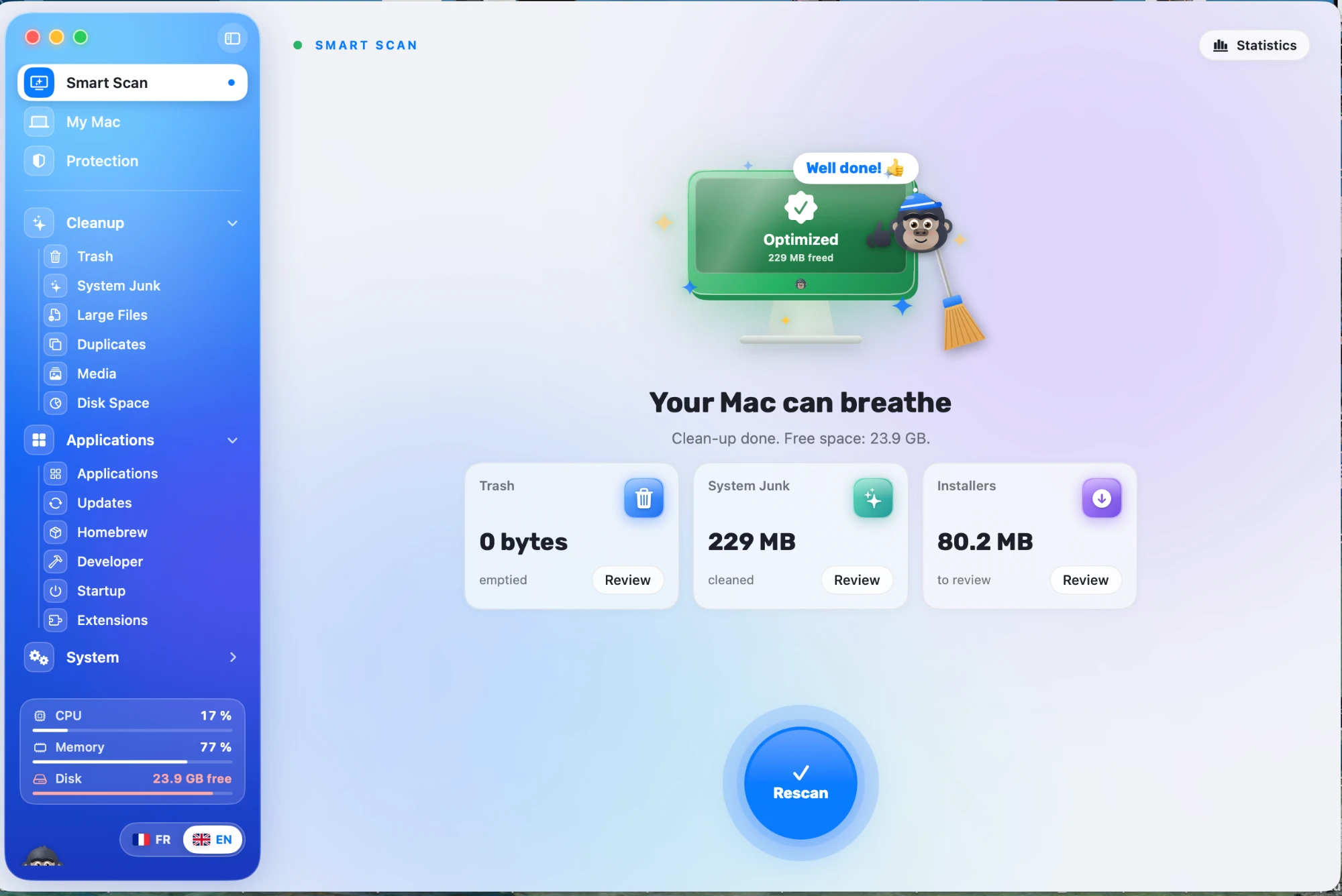
Open KairOS and click “Scan”: you see what clutters your Mac.
Requirements
Mac
- macOS 12 Monterey or later
- Apple Silicon
- Intel
Two files: one for macOS 14 and later, one for macOS 12 and 13.
Windows
- Windows 10 and 11
- 64-bit
One installer, updated automatically afterwards.
Permissions
- Full Disk Access
On Mac, allow KairOS to read your folders so it can analyse everything. Nothing is sent: the analysis stays on your computer.
Ready to lighten your computer?
Free, no account, no ads.
Release notes → · Need help installing? Open the help center →