Ordo
File transferCompareWhat’s newHelp

Ordo by KairOS

Put your files
in order.

Ordo joins look-alike folders, organises Desktop, Documents and Downloads to suit your line of work, and finds what went missing. You see the plan first. Nothing is deleted for good, and everything can be undone.

Open Ordo.Choose what bothers you.Skip to done.

Some chores take a minute. Others take five folders and two hundred files. Ordo handles both: you see the plan, you confirm, and it is tidy.

Skills that mean less work for you

1

Knows your Mac

Desktop, Documents, Downloads, drives: Ordo knows where to look and what looks alike.

2

Solves complex chores

Breaks tidying into small steps and runs them for you, with the plan in front of you.

3

Handles the busywork

Duplicates, unreadable names, twin folders: done while you work.

4

Keeps you one step ahead

Stays in the menu bar and tells you about new files to tidy.
Merge: look-alike folders, compared file by file.Organise: the whole plan, before anything moves.Recover: USB drive, external disk, Trash, Time Machine.Settings: Ordo Fast and the menu bar icon.
Feature 1 · Merge

Look-alike folders, joined without losing anything

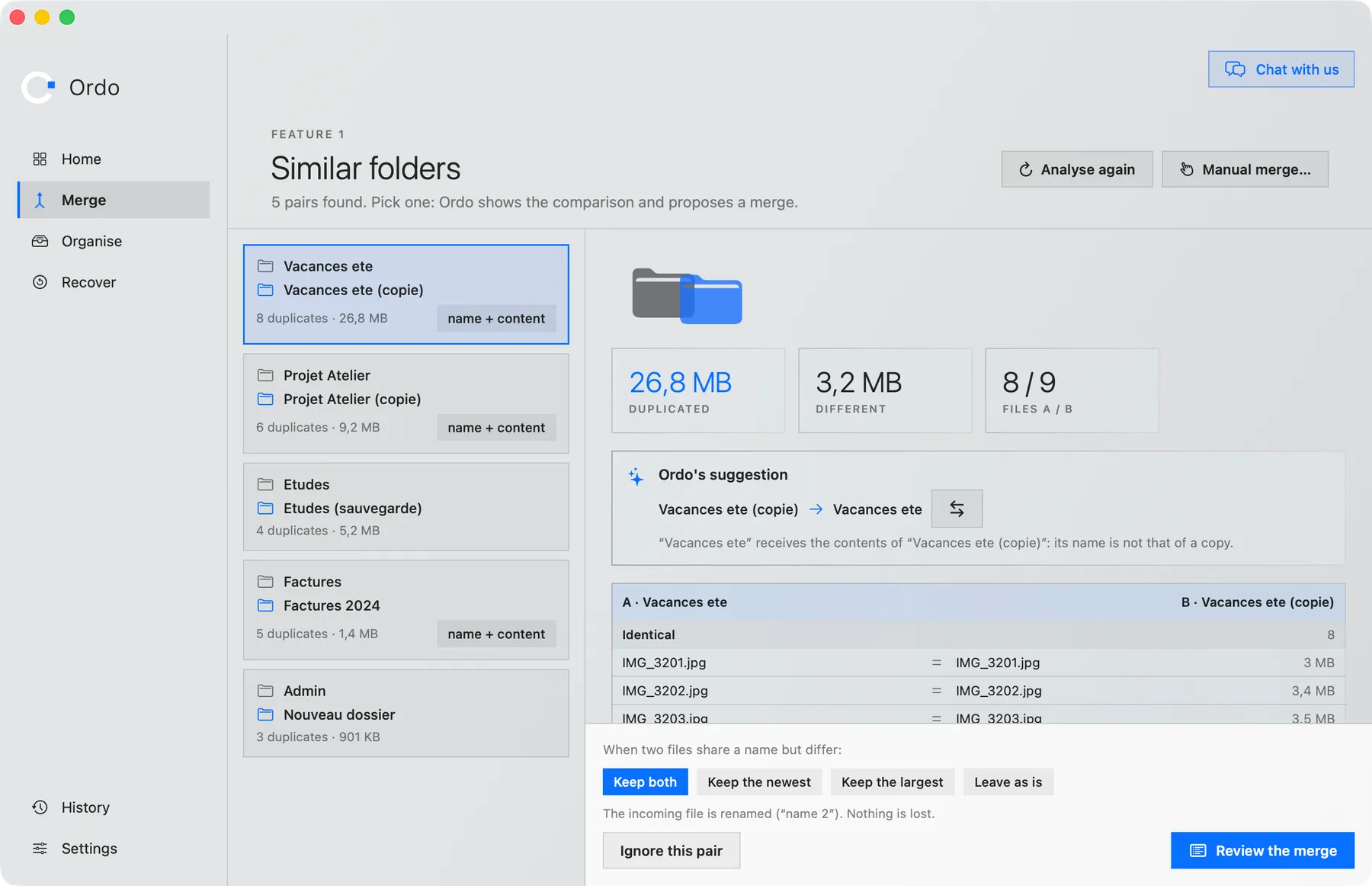
Ordo analyses your folders by itself, spots the ones that look alike (“Holidays” and “Holidays (copy)”, “Invoices” and “Invoices 2024”) and shows what they have in common before proposing a merge.
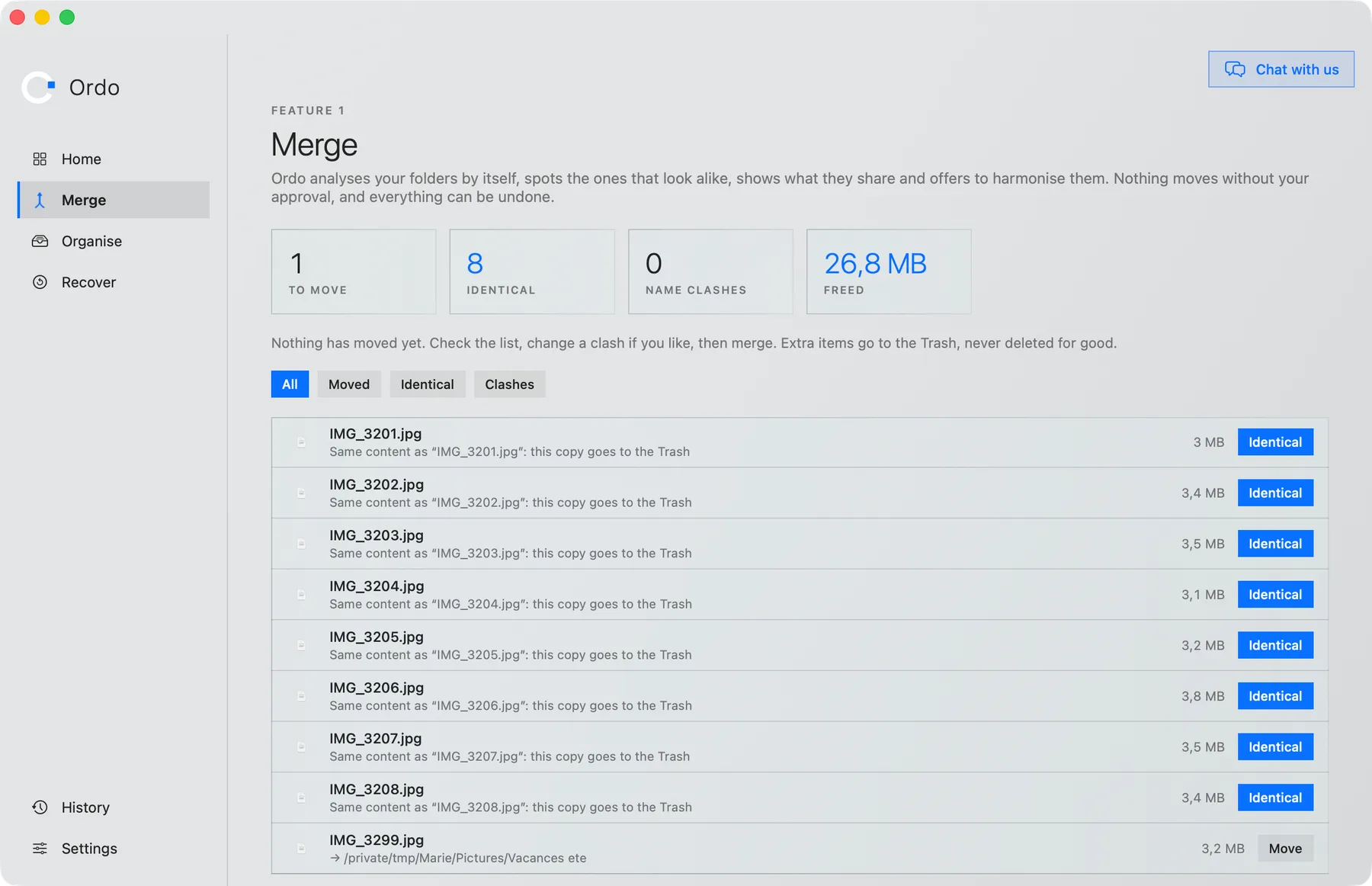
  • File-by-file comparison: identical, different, unique
  • Ordo suggests which way to merge and you stay in control
  • Two files with the same name but different: keep both, the newest, the largest, or leave them
  • Duplicates go to the Trash, never deleted for good
Ordo compares two look-alike foldersThe merge plan: every file, identical or to move
Feature 2 · Organise

Desktop, Documents, Downloads: sorted to suit your work

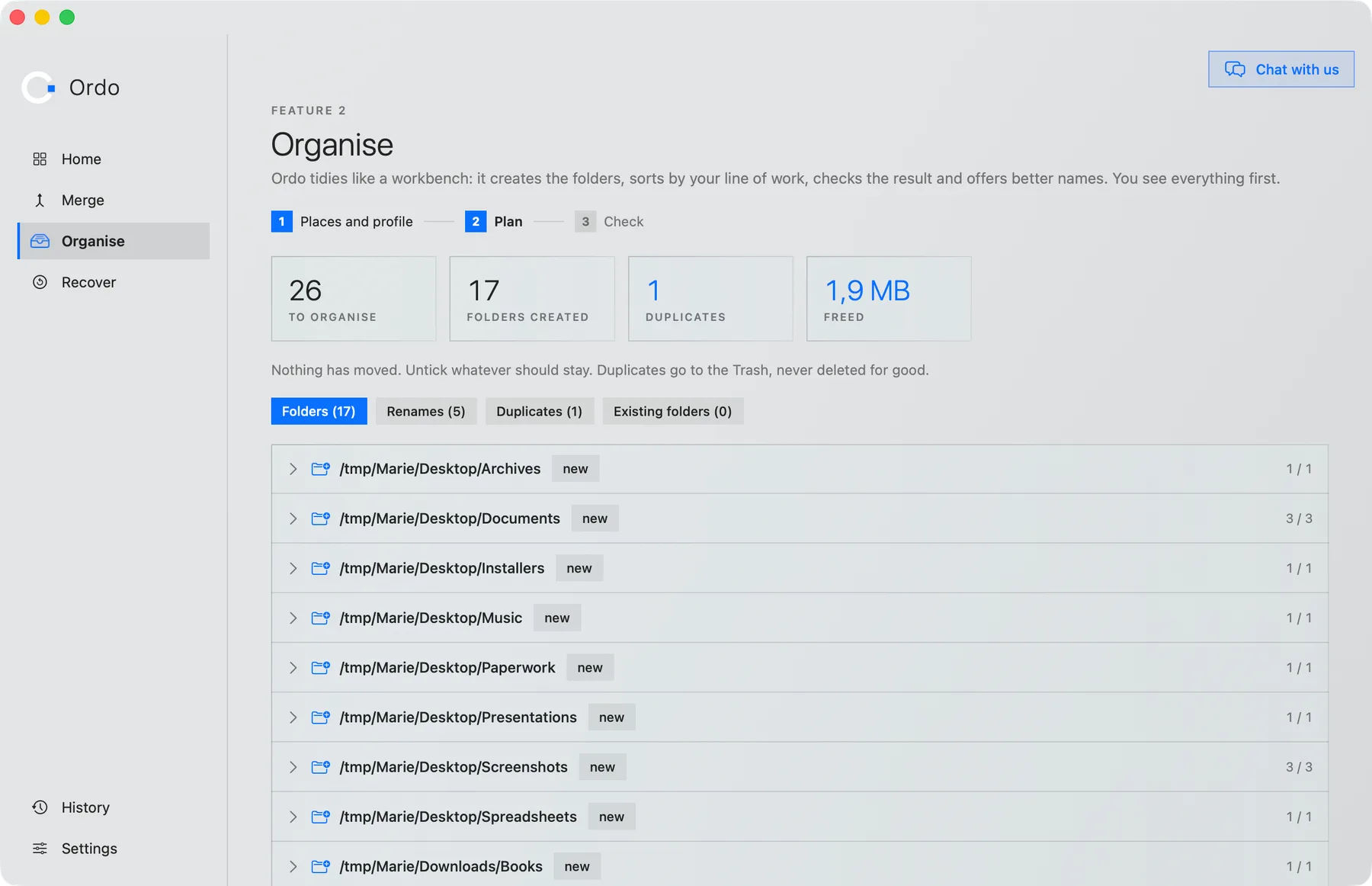
Ordo tidies like a workbench: it creates the folders, sorts by your profile, checks the result and offers better names. You see everything first.
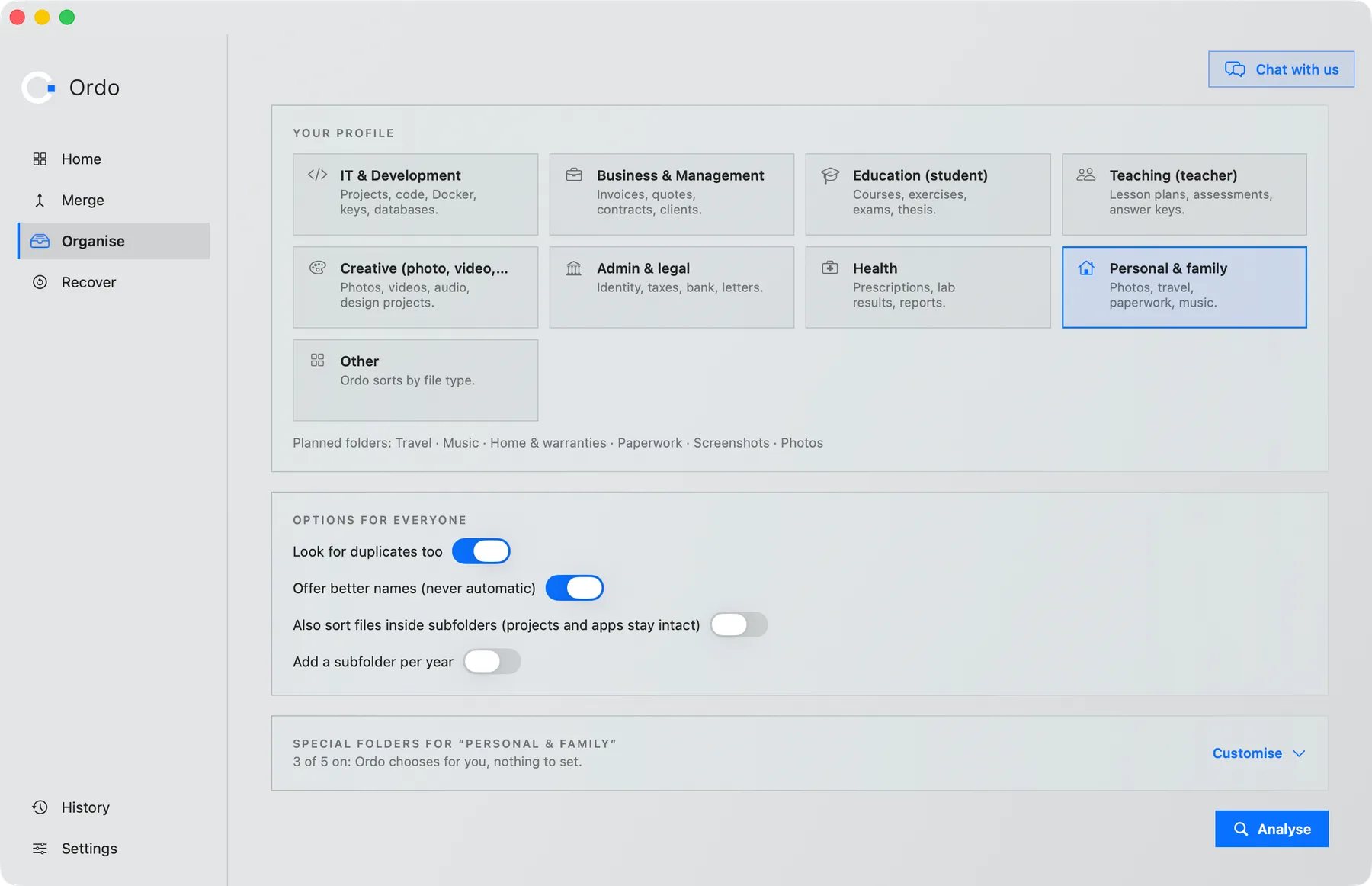
  • Nine profiles: IT, business, studies, teaching, creative, admin and legal, health, personal and “other”
  • It reads what is inside the files, not just their names: a PDF with no extension is recognised
  • It offers to rename “IMG_3204” and “Document (1)”, never automatically
  • After tidying, a check flags what stayed where it was
Choosing places, profile and organising optionsThe organising plan: folders created, renames, duplicates
Feature 3 · Recover

Find what vanished, and know when it is gone

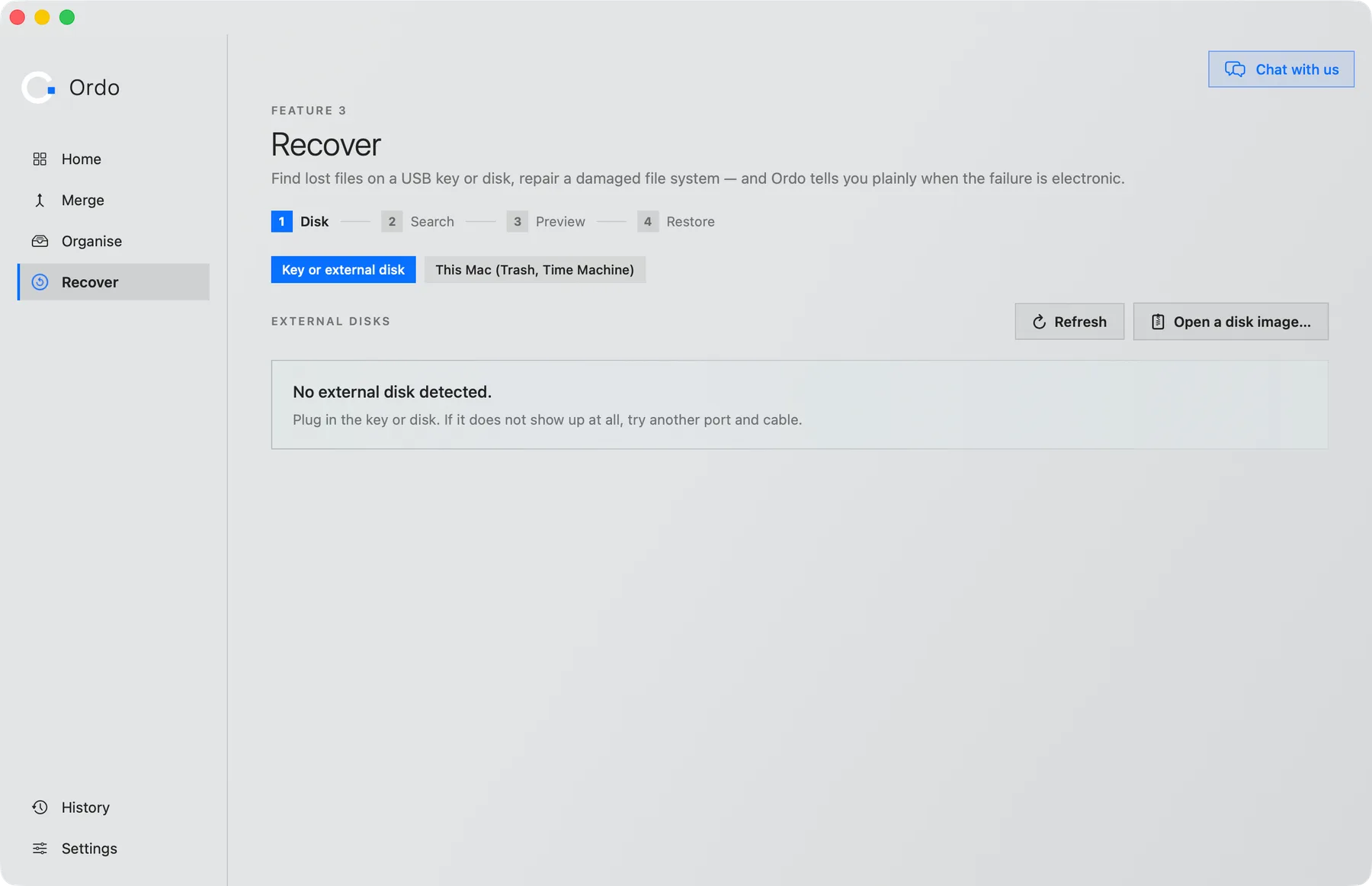
A USB drive that will not open, a file thrown away too fast, a damaged disk: Ordo searches, shows a preview of what it finds and restores to another place, never touching the original disk.

  • USB drive, external disk or disk image
  • This Mac: Trash and Time Machine
  • Repair of a damaged file system
  • Ordo tells you plainly when the failure is electronic
Choosing the drive or disk to examine
Ordo Fast

Big downloads arrive faster

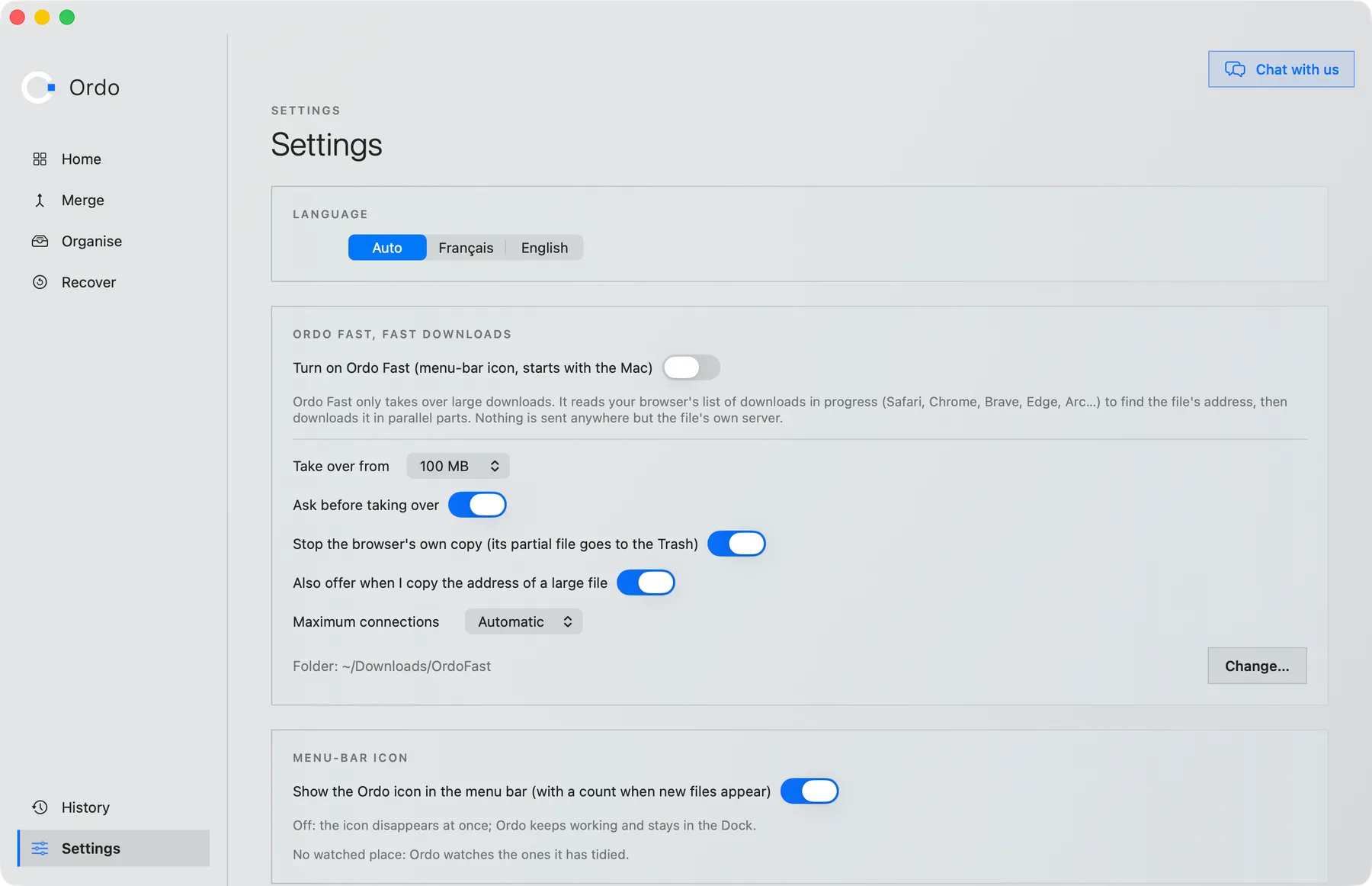
Ordo Fast lives in the menu bar. When your browser starts a big download, it takes it over in several pieces at once, then drops the file in a folder of its own.

  • Big files only: from 100 MB, adjustable
  • Safari, Chrome, Brave, Edge, Arc…
  • It asks before taking over, and can stop the browser’s own copy
  • Nothing is sent anywhere but the file’s own server

Help shape what Ordo does next

An idea, a tidying you miss, something that annoys you? Write to us: we read everything and we answer.

Put things in order today.

One click to download. Three moves to install.

Ordo is built by KairOS

The KairOS team, who clean, speed up and protect your Mac and PC, made Ordo to organise, merge and recover your files.

Discover KairOS →
Ordo · Organise, merge and recover your files on Mac