Direct, no cloud
Files go from one computer to the other over your network. Nothing goes through a server or the Internet.
A new computer, a clean install, a second desk: drag your files and folders onto the other computer. They travel straight over your Wi-Fi, encrypted, with no account, no cloud and no size limit.
On Mac today · coming to Windows
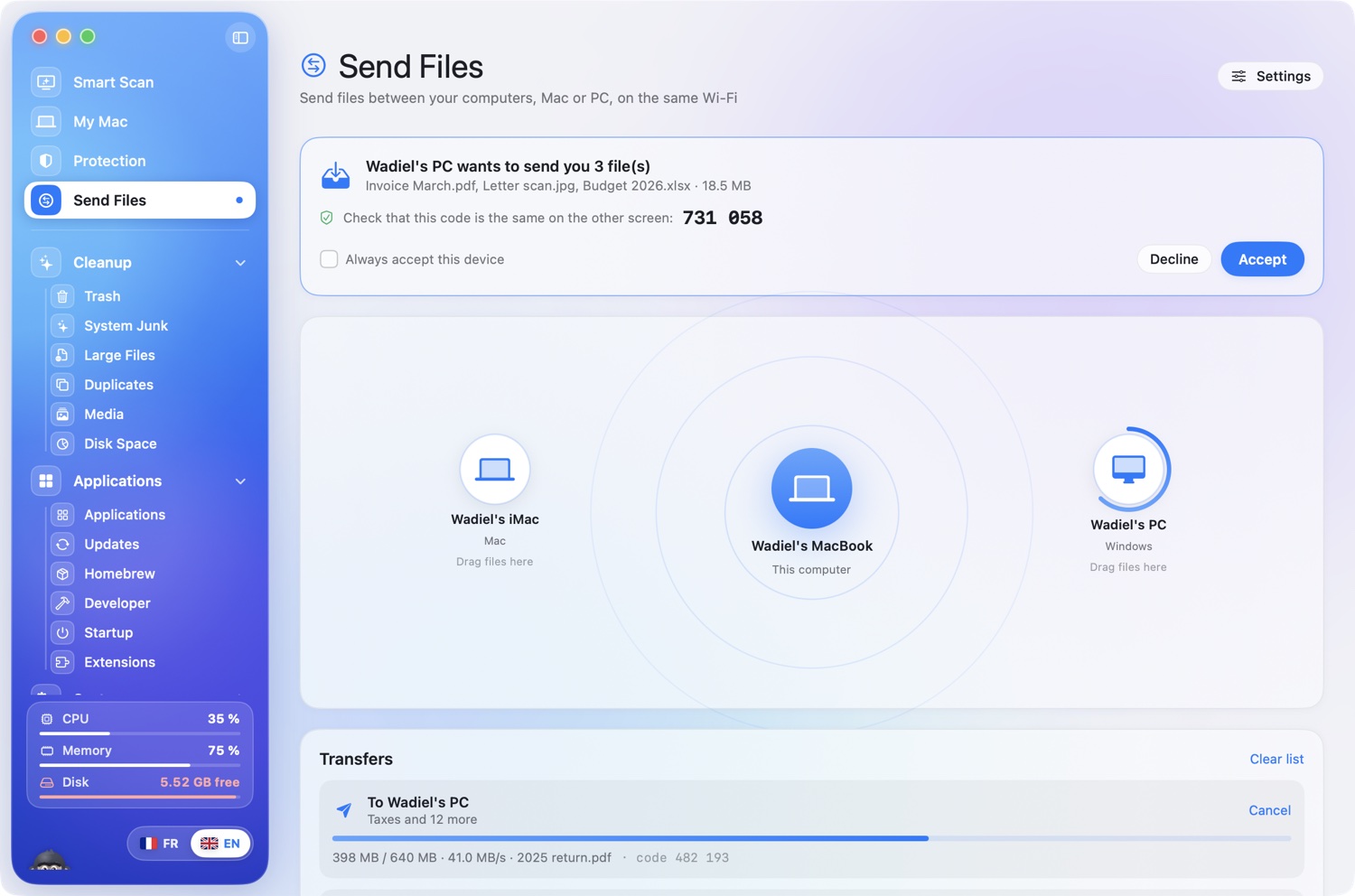
On the same Wi-Fi they find each other and appear on the radar, with their names.
Files or whole folders, in one go. A click also lets you pick them.
The same 6-digit code on both screens confirms it is the right device. The files arrive.
Files go from one computer to the other over your network. Nothing goes through a server or the Internet.
Every transfer is encrypted (AES-256) with a key made for that transfer. The 6-digit code stops anyone stepping in between.
If a file with the same name exists, KairOS keeps both. Folders keep their name and content.
Accept once and tick “Always accept”: later transfers arrive without a question.
No sign-up, no subscription, no limit. Two computers and a Wi-Fi, that’s all.
Between two Macs today. Between a Mac and a PC as soon as Send reaches the Windows version: the language is the same on both sides.
Elsewhere, file transfer is part of a paid plan with an account. Here it is included and free.
The 6-digit code on both screens, like pairing a Bluetooth device: you can see it is the right one.
The radar shows the devices, progress around each one, the speed and the current file name.